 ChordPlayer
NEW: VERSION 2
See and hear every guitar chord
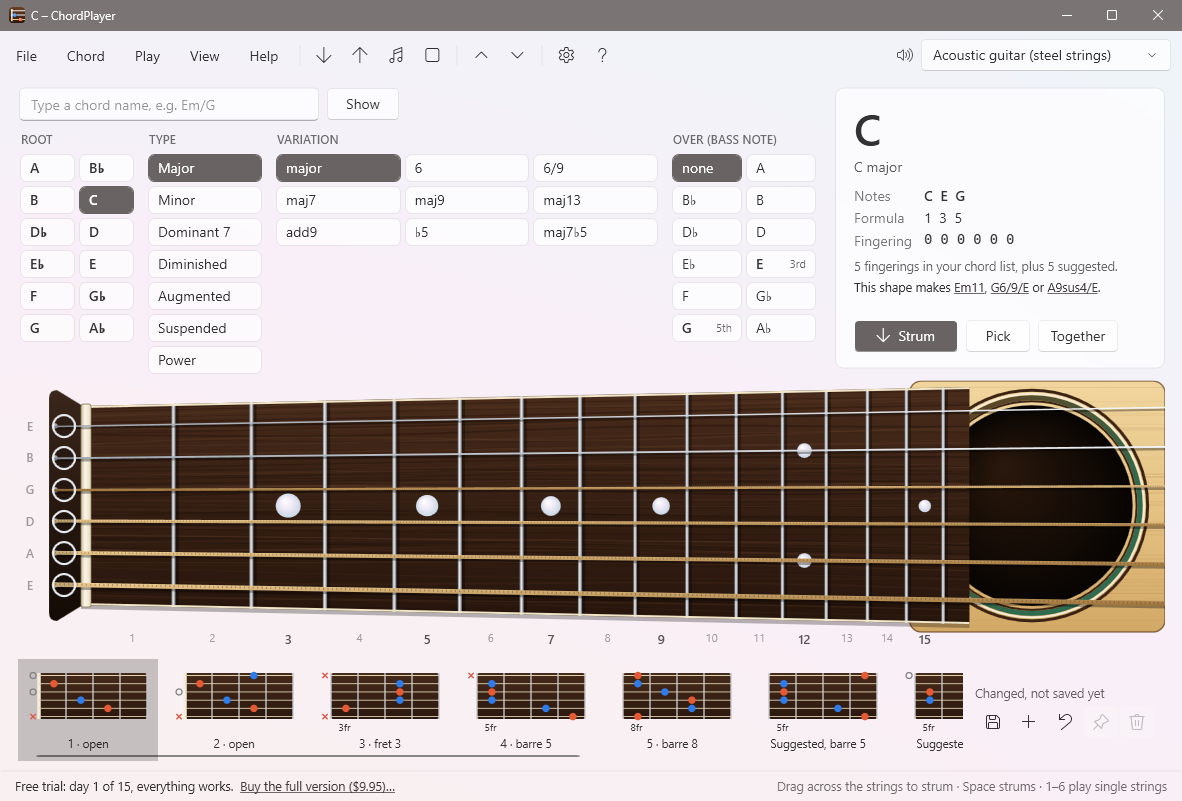
Choose a chord by its root, its type and its bass note, or just type its name. ChordPlayer shows it on a realistic fretboard, turned the way you see your own guitar. Drag the mouse across the strings to strum it, and move the fingers around to hear what changes.
Free 15-day trial. Full version $9.95, one-time. Windows 10 and 11, about 72 MB.
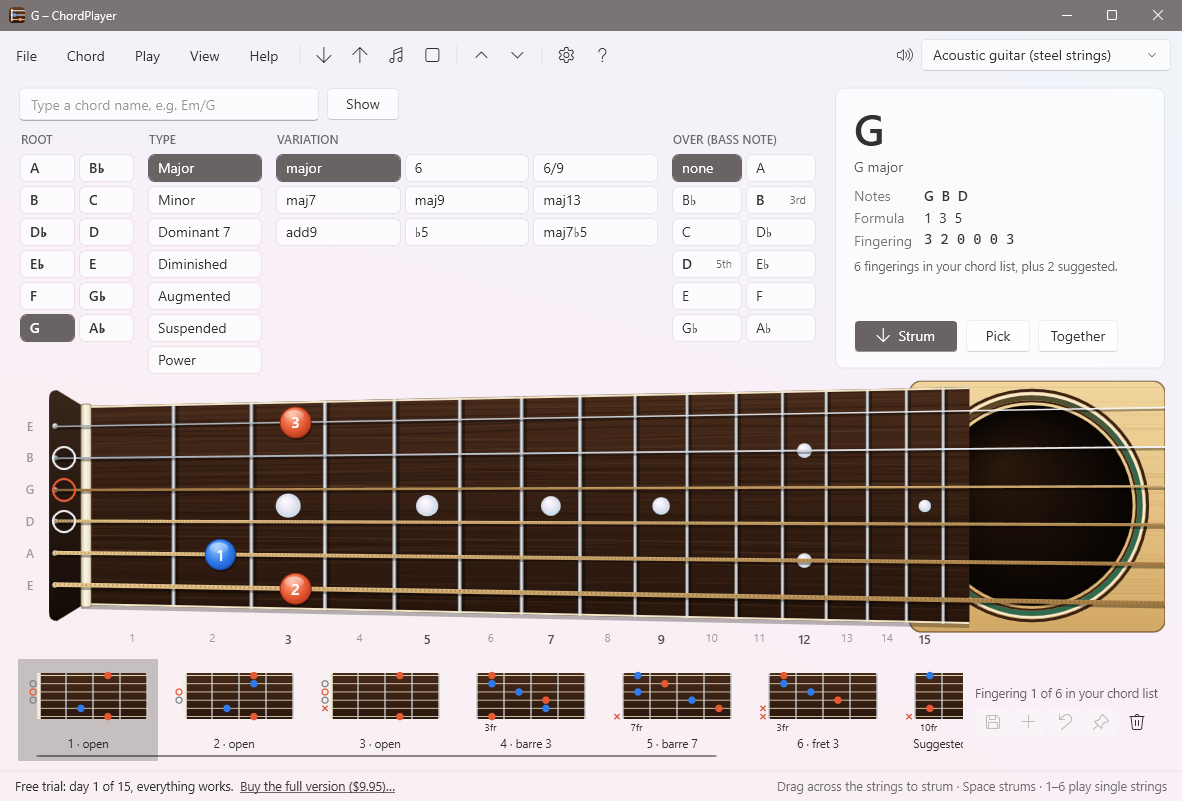
Over 460 chords
Every chord and every one of the 2,100 fingerings from ChordPlayer's chord list, from plain major chords to 7(♯5♭9), plus fingerings worked out for any other chord you type.
Strum it like a guitar
Drag across the strings and they sound one by one as you cross them, low to high or high to low. Each string rings on until you play it again.
Any bass note
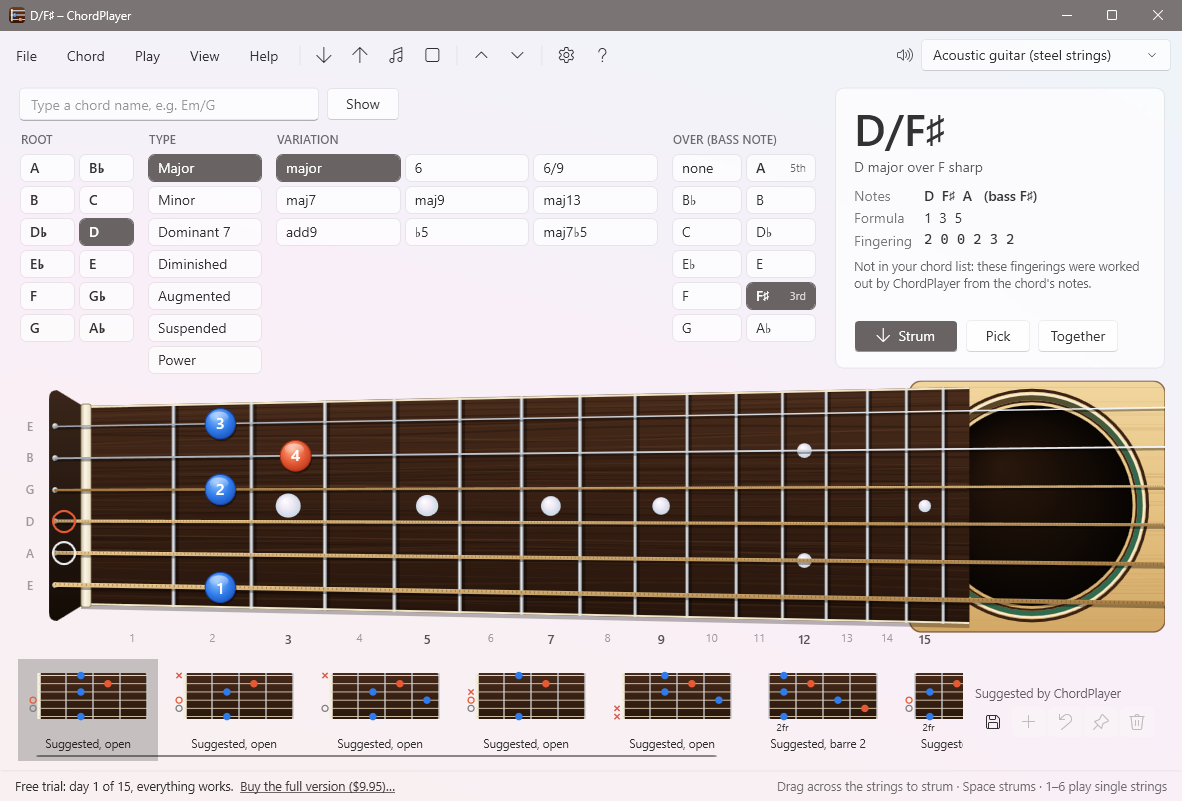
Pick an “over” note for chords like Em/G or D/F♯. ChordPlayer puts that note on the bottom and finds fingerings you can actually play.
What it does
Find chords your way
Choose from left to right: the root (A, B♭, B…), the type (major, minor, dominant 7, diminished, augmented, suspended, power), the variation (maj7, m9, 7♯9, add9, 6/9…) and the over note for slash chords. Or type a name such as Em/G, B♭maj7 or F♯m7♭5, and every column follows as you type. Written “Cmaj7”, “CΔ7” or “CM7”? ChordPlayer knows they're all the same chord.
See every note, hear every string
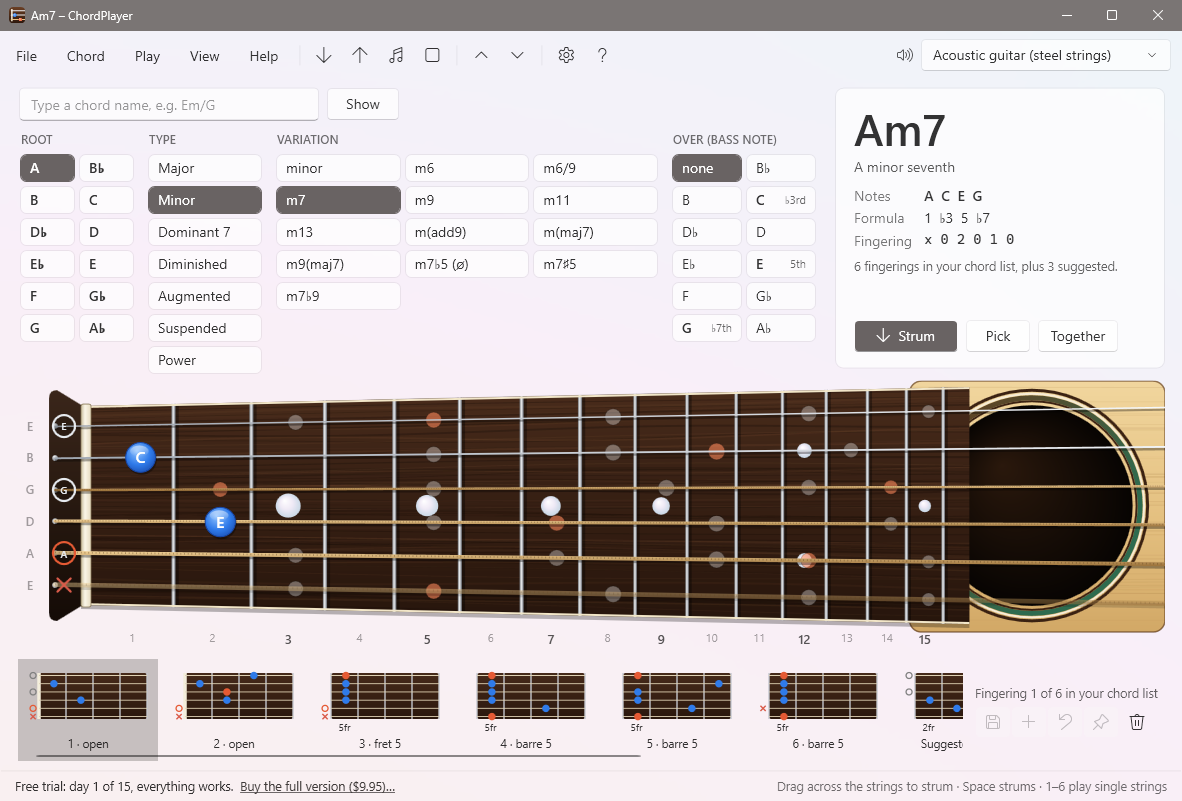
The round finger buttons can show which finger to use, the note names, or the intervals (1, ♭3, 5, ♭7). Root notes are orange, so you always know where the chord is built from. Turn on Show all the chord's notes to see every place on the neck you could play them. Strum, pick one string at a time, or play everything together, with a steel-string or nylon guitar, banjo, harp, piano, organ and more.
Try your own shapes
Click a fret to put a finger there, drag a finger along its string, or click beside the nut to mute a string. ChordPlayer plays the string as you go, and tells you what chord your shape makes. Save your fingerings to the chord list, put your favorite first, or add new chords. The chord list is a plain file you can back up and share.
Everything a guitarist needs
- All of version 1's chord list, checked note by note: 462 chord names and 2,107 fingerings, open, barre and jazz.
- Fingerings for anything else: type C7♯11 or Dm(add9) and ChordPlayer works out playable shapes, never more than four fingers.
- Finger numbers and barres for every fingering, so you know how to hold it, not just where.
- Half step up and down with one click, keeping the same chord type and bass note.
- Left-handed fretboard, sharps or flats, 12 to 19 frets.
- Windows' built-in sounds, or your own MIDI keyboard or sound module.
- Works with the Tray Transpose Tool: click a chord in your song there, and it's shown and strummed here.
- Keyboard shortcuts: Space strums, 1–6 play single strings, Ctrl+↑ and Ctrl+↓ change key.
Try everything free for 15 days
Free
$0
- Everything works for 15 calendar days
- After that, major, minor and 7th chords in all twelve keys keep working, for good, with the fretboard, strumming and every sound
Full version
$9.95 one-time
- Every chord type and every over (slash) chord
- All the alternate fingerings, and your own
- Editing, importing and sharing the chord list
- Use it on two computers, such as home and church
Bought ChordPlayer version 1? Upgrade for $4.99: enter the 10-letter unlock code that came with version 1 on the purchase page. Payments are handled securely by PayPal, and your license key arrives immediately by email. See Free and full versions for details.
What's new in version 2
- Rebuilt from the ground up for Windows 10 and 11, with sharp graphics on high-resolution screens
- A realistic fretboard turned the way a player sees it, with round finger buttons, finger numbers and barres
- Strum by dragging across the strings; each string rings on its own, like a real guitar
- Chords chosen by root, type, variation and bass note instead of one very long list, or by typing the name
- Fingerings worked out for any chord and any bass note, and “name that chord” for any shape
- The chord list is built in, so there's nothing extra to download, and every change you make is saved
- Installs itself in seconds, with no administrator rights needed if you choose “Just for me”
- A complete online user manual
Requirements and help
Windows 10 or Windows 11 (64-bit), with speakers or headphones. Nothing else to install. An internet connection is needed only once, to activate the full version.
The user manual explains everything, and its troubleshooting page answers common questions. You can also contact us.
Looking for ChordPlayer version 1 (2001)? Its information is on the ChordPlayer 1 page.